
OrbitHub brings remote connection profiles and sessions into one native desktop app. Built with C++17 and Qt 6 Widgets, it targets Linux, Windows, and macOS.
What It Does
- Organizes connection profiles in SQLite with search, sorting, tags, and nested folders.
- Supports drag-and-drop moves between folders and list or folder views.
- Opens sessions in tabs with automatic connection, session state indicators, and disconnect on close.
- Provides an embedded SSH terminal with themes, password and private-key authentication, and known-hosts policies.
- Embeds RDP sessions with keyboard and mouse input, resizing, domain authentication, and security and performance options.
- Includes a timestamped event log with filtering and export.
Passwords are requested when connecting and are not stored in the profile database.
Development Status
OrbitHub is in active development, with packaging and distribution the current focus. Integrated SSH and RDP workflows are implemented; VNC implementation is deferred.
The repository includes platform build instructions and Linux packaging scripts for Debian packages and an optional Flatpak bundle. See the progress tracker for milestone details.
Repository metadata and release assets are refreshed from Gitea during the static site build when the build environment has access to the repository.
Repository README
OrbitHub is a cross-platform native desktop app for managing and launching remote sessions from one place.
It is implemented in C++17 with Qt6 Widgets and built with CMake.
Supported target platforms:
- Windows
- Linux
- macOS
Current Status
OrbitHub is in active development.
- Milestones completed: M0-M9
- Current milestone: Milestone 10 (v1.0 Stabilization)
- Latest published release:
v2026.9.16; av2026.9.16.6release is drafted with several post-.16fixes and is pending a macOS installer before publishing - VNC (M6) is fully built out: Raw/CopyRect/Hextile/ZRLE/Tight encodings, bidirectional clipboard sync, remote cursor shape sync, and both scale-to-fit and actual-size display modes. Standard VNC Authentication and no-auth servers (TigerVNC, x11vnc, TightVNC, etc.) work end to end. macOS’s built-in Screen Sharing uses two undocumented, reverse-engineered authentication schemes that are implemented but not yet confirmed working against a real macOS server — see docs/PROGRESS.md for details.
Progress and milestone details:
Latest published release (installers for Windows, Linux, and macOS):
User Guide:
- docs/USER_GUIDE.md (also available as a PDF attached to each release, and in-app via
Help -> User Guide)
Screenshots
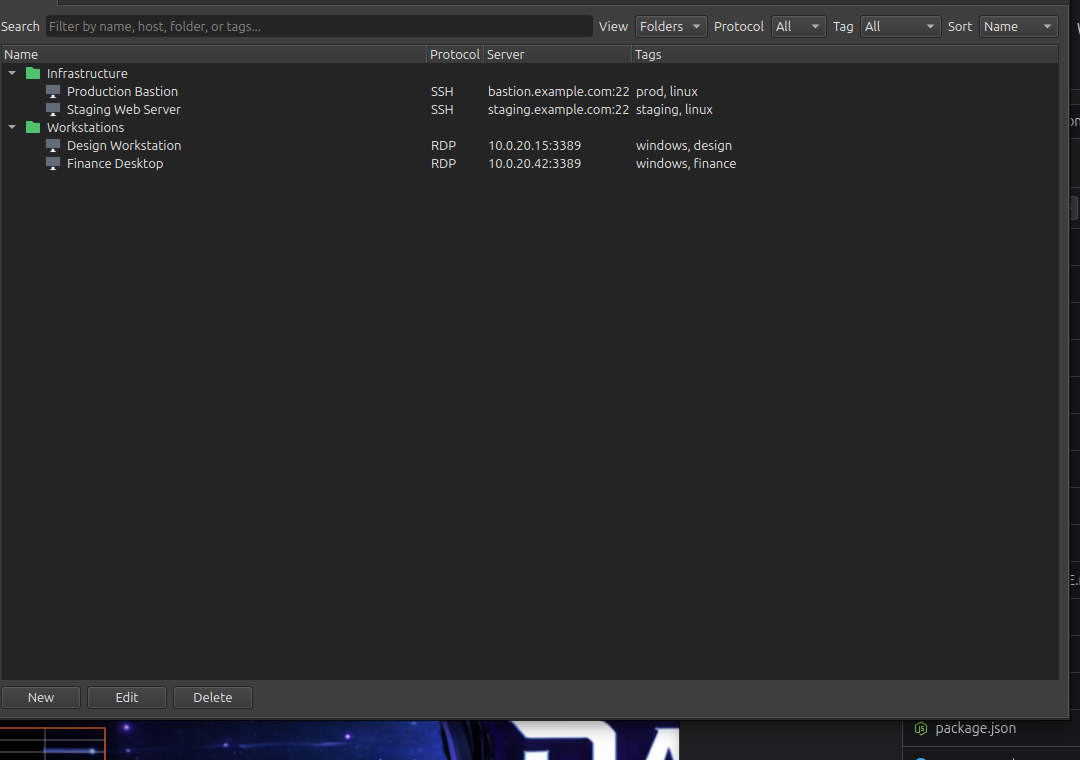
Profiles organized into folders, with protocol, host, and tags shown at a glance. (Sample data shown; not real hosts.)
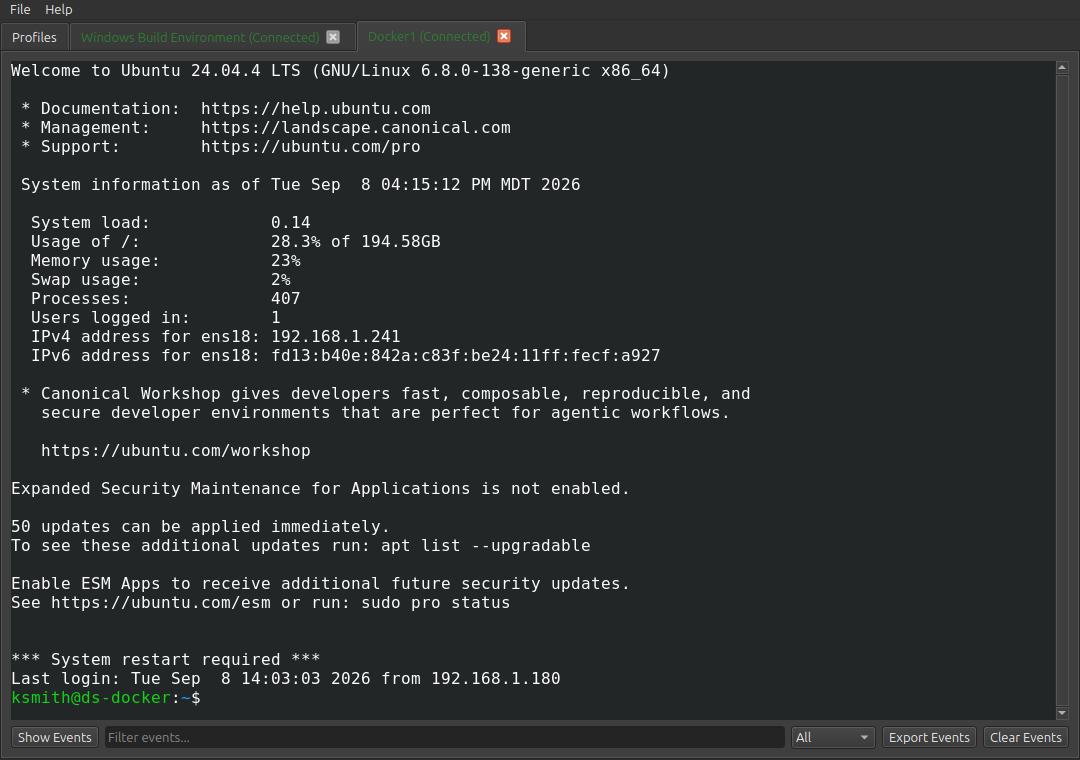
An interactive SSH terminal session in a tab, with the event log below.
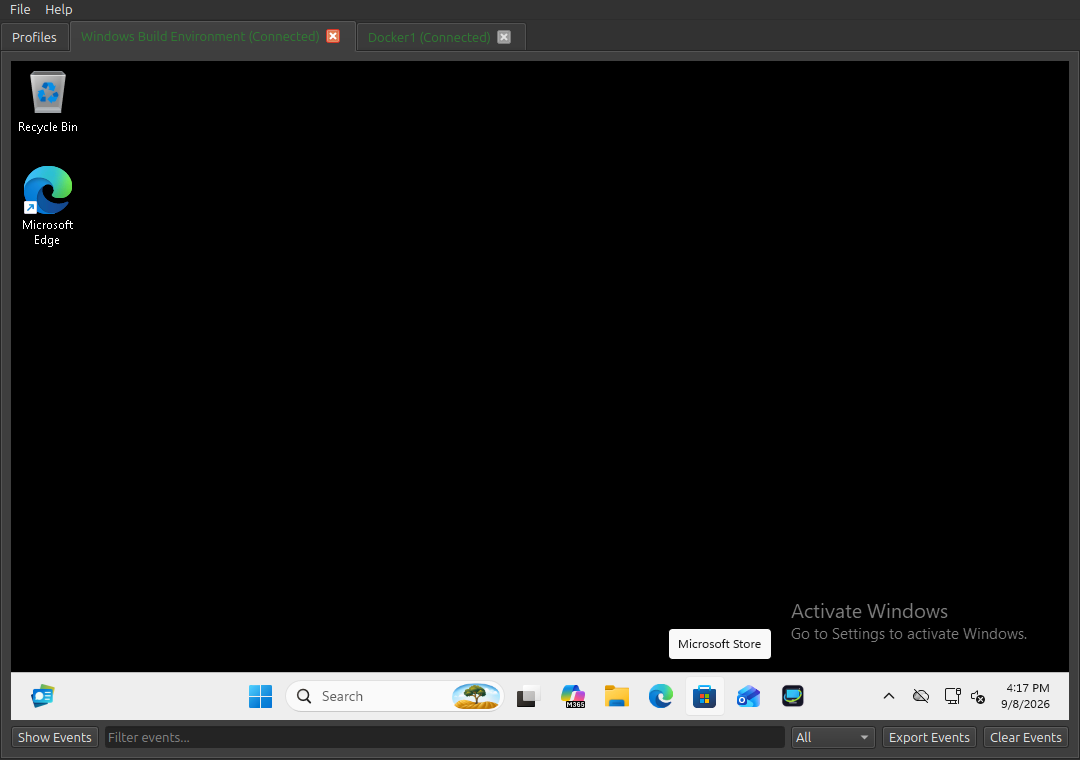
An embedded RDP session in a tab.
Implemented Features
Profile Management
- SQLite-backed profile storage
- Create, edit, delete profiles
- Protocol-aware profile validation (SSH/RDP/VNC)
- Username is optional on any protocol’s profile — if left blank, OrbitHub asks for one inline at connect time instead of requiring it up front
- Profile search and sorting
- Tags support
- Folder/subfolder support
ListandFoldersprofile views- Right-click profile tree actions:
- New Folder
- New Connection
- Drag-and-drop profile moves between folders with persistence
- Import/Export of the whole profile list as JSON, and one-way import from mRemoteNG connection XML files (passwords are never imported)
Session Experience
- Multi-tab session window
- Auto-connect on tab open
- Disconnect on tab close
- Session state indicators on tabs, colored distinctly per state (connecting/connected/disconnected/failed)
- A tab awaiting a username/password prompt is clearly marked — its title gets a “(Needs input)” suffix and its tab color changes — even when it isn’t the tab currently in view, and the inline prompt itself uses a solid highlighted banner rather than blending into the rest of the tab
- Timestamped event log with filtering and export
SSH
- Embedded interactive terminal (in-app typing)
- Theme support (
Dark,Light,Solarized Dark) - Password and private-key auth flows
- Known-hosts policy support
RDP
- Embedded in-window RDP rendering surface (no external launcher)
- Keyboard/mouse input forwarding
- Resize handling and resolution renegotiation
- Domain-aware authentication support
- RDP security/performance profile options
VNC
- Embedded in-window VNC rendering surface (no external launcher)
- Raw, CopyRect, Hextile, ZRLE, and Tight rectangle encodings
- Bidirectional clipboard sync
- Remote cursor shape sync
- Scale-to-fit and actual-size (scrollable) display modes, toggled per-tab and remembered across sessions
- Standard VNC Authentication and no-auth servers (TigerVNC, x11vnc, TightVNC, etc.)
- No dynamic remote-desktop resizing (VNC has no real equivalent of RDP’s MS-RDPEDISP)
- macOS Screen Sharing’s two undocumented Apple auth schemes are implemented but not yet confirmed working against a real macOS server — see docs/PROGRESS.md
App UX
- App icon and themed About dialog
- In-app User Guide (
Help -> User Guide), matching docs/USER_GUIDE.md Filemenu:- New Profile
- New Folder
- Import Profiles…
- Export Profiles…
- Import from mRemoteNG…
- Quit
Helpmenu:- User Guide
- About OrbitHub
Build and Run
Detailed platform instructions:
Quick start (Linux/macOS with Ninja):
cmake -S . -B build -G Ninja
cmake --build build
./build/orbithub
Packaging
Detailed packaging instructions for all platforms:
Linux (.deb):
./packaging/linux/build-deb.sh
Linux (Flatpak):
./packaging/flatpak/build-flatpak.sh
Windows (Inno Setup installer):
.\packaging\windows\build-installer.ps1
macOS (.dmg):
./packaging/macos/build-dmg.sh
Dependencies
Core dependencies:
- Qt 6 (Widgets, SQL)
- CMake 3.21+
- C++17 toolchain
- OpenSSL (RDP/VNC transport security and Apple VNC auth)
- zlib (VNC’s ZRLE and Tight encodings)
- libjpeg-turbo (VNC’s Tight encoding’s JPEG sub-mode)
Protocol/runtime dependencies:
- SSH client (
ssh) available onPATHfor SSH sessions
Bundled/vendored third-party components:
- KodoTerm
- libvterm
- FreeRDP/WinPR
Licensing
Project license:
- MIT (see LICENSE)
License links:
- MIT License: https://opensource.org/licenses/MIT
- GNU LGPLv3: https://www.gnu.org/licenses/lgpl-3.0.html
- Apache License 2.0: https://www.apache.org/licenses/LICENSE-2.0
Important third-party license notes:
- Qt6 is dynamically linked in this project build setup.
- Qt6 is used under LGPLv3 terms in this project build setup.
- KodoTerm and libvterm are MIT-licensed.
- FreeRDP/WinPR is Apache-2.0 licensed.
Repository license files:
- Project: LICENSE
- KodoTerm: third_party/KodoTerm/LICENSE
- FreeRDP: third_party/FreeRDP/LICENSE
See in-app Help -> About OrbitHub for license links and third-party inventory.
Repository Structure
src/- application source codedocs/- build guide, spec, and progress trackingpackaging/- per-platform installer/package build scriptstests/- CTest unit/integration tests and fixturestools/- standalone build-time tools (e.g. the User Guide PDF generator)third_party/- vendored third-party dependenciesbuild/- local build output (generated)dist/- packaged installer/deb/flatpak/dmg output (generated)
Notes
- Passwords are requested at connect time and are not stored in the profile database.
- A profile’s username is optional for every protocol; if left blank, OrbitHub asks for one inline the first time you connect that profile.
- VNC support covers standard VNC Authentication and no-auth servers (e.g. TigerVNC, x11vnc, TightVNC). macOS’s built-in Screen Sharing server uses two undocumented, reverse-engineered authentication schemes that are implemented but not yet confirmed working against a real macOS server (see docs/PROGRESS.md, Milestone 6).